
The 2026 badge: a car-shaped CAN-to-USB adapter
By The BSides Groningen team, organizers
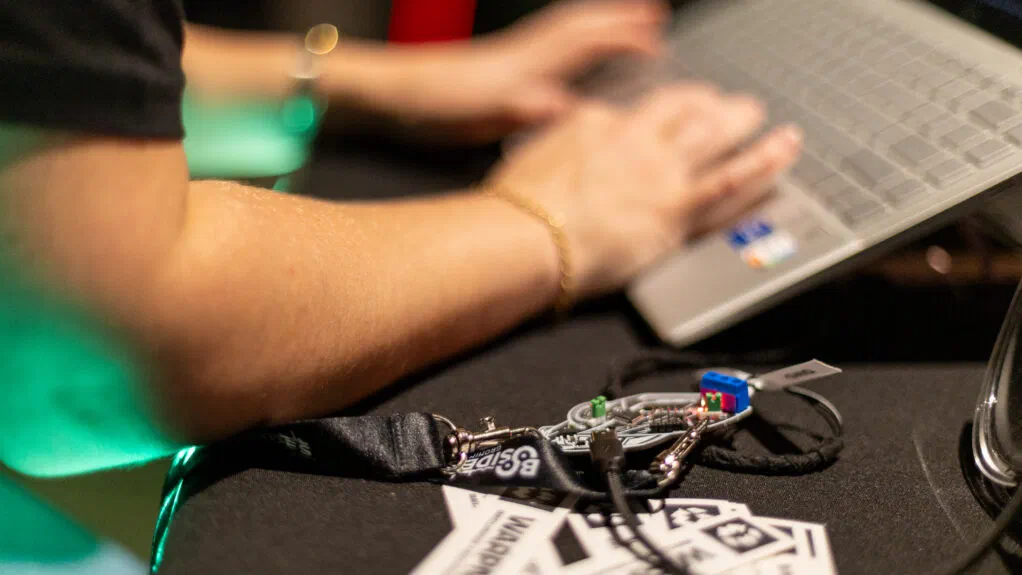
Every participant of BSides Groningen 2026 got a car-shaped circuit board on their lanyard. It looks like a fun conference badge, and it is one, but it is also a real tool: plug it into your laptop and it becomes a CAN-to-USB adapter. With it, your laptop can listen and talk on a CAN bus, the network that connects the electronics in cars and in many machines.
The badge was designed by Philip Woldhek. In this post we look at where the design comes from, what’s on the board and how you can use it.
Built on candleLight
The badge didn’t start from a blank page. Philip based it on his own revision of candleLight, an open-source USB-to-CAN adapter by Hubert Denkmair. In his version, Philip moved the board to USB-C, replaced the original CAN connector with a screw terminal, made the bus termination switchable and added protection on the USB side. For the badge he kept that circuit and redrew the board in the shape of a car.
candleLight belongs to the same family as CANable and CANtact: small, open USB-to-CAN adapters built around an STM32 microcontroller with a CAN controller on the chip. They can all run the same open-source firmware, which is also what makes the badge so easy to use.
What’s on the board
- An STM32F072 microcontroller. An Arm Cortex-M0 with USB and a CAN controller on the chip, running from an 8 MHz crystal. Its firmware passes CAN frames between the bus and your laptop.
- An NXP TJA1051T/3 CAN transceiver. It turns the microcontroller’s logic signals into the differential CAN-H and CAN-L signals on the bus, and back. This version works directly with the 3.3 V logic of the microcontroller.
- USB-C. Your laptop powers the badge, and a regulator makes the 3.3 V the chips need. A Schottky diode sits between the USB power and the rest of the board, and a protection diode guards the USB data lines against electrostatic discharge.
- A screw terminal for CAN-H, CAN-L and GND. Connect your wires with a small screwdriver; no soldering needed.
- Switchable 120 Ω termination. A CAN bus needs a 120 Ω resistor at each end. Put the jumper marked 120R on when the badge is one of the ends, for example on your desk with a single other device. Leave it off when you connect to an existing bus, such as the one in a car, which is already terminated.
- Three LEDs. One shows that the badge has power; the other two blink when frames are received and sent.
- A BOOT0 jumper and an SWD header. For loading new firmware and for debugging (see below).
- Two holes for the lanyard. The board itself is a two-layer PCB, 1.2 mm thick and about 76 by 43 mm.
Using it
The badge runs the open-source candleLight firmware. On Linux, the kernel’s gs_usb driver supports it out of the box: plug it in and you get a SocketCAN network interface, usually can0. Recent versions of Windows recognize it without installing a driver.
On Linux, bring the interface up at the bitrate of the bus (500 kbit/s is common in cars) and watch the traffic with candump from can-utils:
sudo ip link set can0 up type can bitrate 500000 listen-only on
candump can0
With listen-only on, the badge only listens: it sends nothing, not even the acknowledgements that CAN devices normally give each other. When you know the bus and want to send your own frames, bring the interface up without it:
sudo ip link set can0 down
sudo ip link set can0 up type can bitrate 500000
cansend can0 123#DEADBEEF
Because the badge is a normal SocketCAN interface, other tools work with it too, such as Wireshark and python-can.
To look inside a car, connect the badge to the OBD-II port under the dashboard: CAN-H is pin 6, CAN-L is pin 14 and signal ground is pin 5. What you see there depends on the car: many cars put a gateway between that port and the rest of the network. Start in listen-only mode, only connect to cars and systems you own or have permission to test, and never send frames to a car that is moving.
Straight from your browser
Not everyone runs Linux, and setting up SocketCAN is a hurdle when you just want to see some frames. So one of our organizers, Roald Nefs, built WebUSB CAN: a CAN bus tool that runs in your browser. Plug in the badge, open the page in Chrome or Edge, click Connect Device and pick the badge. There is nothing to install: the page talks to the candleLight firmware directly over WebUSB.
It covers most of what you would otherwise do on the command line:
- Watch traffic in a live log, or in a sniffer view with one row per CAN ID that highlights the bytes that change, and export what you captured as CSV.
- Send frames once or repeatedly, and keep periodic signals running from the sidebar.
- Fuzz IDs, lengths and data with random, incrementing or fixed values.
- Talk diagnostics: send UDS requests over ISO-TP, with an optional Tester Present to keep the session open.
- Practice without a car: a built-in instrument-cluster simulator (speed, turn signals and doors) uses the same CAN IDs as ICSim, the simulator used in many car hacking workshops.
- Script it from the browser’s developer console through
window.api.
Choose Listen Only as the mode when you only want to watch. WebUSB works in Chromium-based browsers such as Chrome and Edge, but not in Firefox or Safari. WebUSB CAN is open source under the MIT license; the code is on GitHub.
New firmware
The firmware can be replaced over USB. Unplug the badge, move the BOOT0 jumper (marked B0) to 1 and plug it back in: the microcontroller now starts its built-in bootloader and shows up as “STM32 BOOTLOADER”. Load a new firmware build with dfu-util, as described in the candleLight firmware README. Then unplug the badge, move the jumper back to 0 and reconnect.
The SWD header (3V3, IO, CLK, GND and RST) is there for a debug probe, so you can also step through the firmware or run your own code on the STM32.
Thanks
Thanks to Philip for designing the badge, and to the candleLight and CANable projects for the open hardware and firmware it stands on. Built something with your badge? Tell us at info@bsidesgrunn.org.
For 2027 we are designing a brand-new badge, and again it will be a tool that earns a place in your kit long after the conference. More details soon.